| Easy to deploy, Easy to use, Easy to understand, Affortable price
and ... |
 |
How it works? After installation, Screen Anytime will place a shortcut of the recorder into the Start group of Windows. When a Windows session begins, whether login is from a local or remote desktop, the recorder will run until the end of the session. During the session, the recorder will continually write the data to the log file in the specified folder. Administrators can run Screen Anytime to manage, review and search the session. [demo]
Features
Record, List, and Replay with Multi-User/Login Integration and Configuration
 Screen Anytime automatically logs activities of all Windows sessions into organized files stored in a specified folder, sorted by time and user. These logs can be retained indefinitely based on available disk space. Administrators can review recorded activities as videos later or search for a passed moment by keywords in window titles. The recording encompasses all users, supporting various login types including local, RDP, TS, Citrix, VNC, and RemoteApp.
Administrators can configure recordings to target specific time ranges, users, or applications. |
High Compressibility and Efficiency
Concerned about disk space? Our advanced 'Stepok Screen Codec v3' ensures efficient use with flexible quality and frame rate settings. Daily recordings can stay under 300MB (exact results may vary based on your environment). RDP sessions on servers can be significantly smaller due to less graphical data. negligible for most modern multi-cores computers. |
 Performance Management
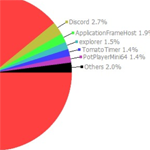
Screen Anytime includes features to enhance employee or student performance. Screen time limits can guide user behavior for individual programs or overall usage. Weekly or monthly reports provide statistical insights into performance metrics.
[ an example report] |
Build a Network - Centralized Log Files and HTTP Integration
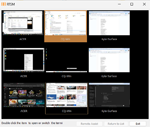
 With the server edition, multiple computers running Screen Anytime (Workstation or Simple Edition) can form a network. Log files can be stored locally or uploaded to a server. An embedded HTTP service enables web-based access for managers to review, replay, and search records. The 'Wall of Screens' feature allows managers to view the latest frames uploaded by each client. With the server edition, multiple computers running Screen Anytime (Workstation or Simple Edition) can form a network. Log files can be stored locally or uploaded to a server. An embedded HTTP service enables web-based access for managers to review, replay, and search records. The 'Wall of Screens' feature allows managers to view the latest frames uploaded by each client.
The Screen Anytime network can span different local networks and firewall configurations.
[network structure] [demo1][demo2] |
 Real-Time Monitoring and Remote Assistance
In networks established with the server and workstation editions, managers can monitor computers lively with client permission. Remote assistance allows managers to take control remotely to resolve issues with client consent. More features of communication between managers and clients are under developing.
|
Easy Deployment and Independence
Screen Anytime is designed for easy deployment and operates independently on a wide range of Windows systems from XP to the latest server versions. The program requires no third-party modules or internet connection, making it suitable for offline and local network environments. It does not collect data or initiate downloads. Plus, the perpetual license includes three years of free support.
|
Privacy
Privacy is important. Screen Anytime does not record keystrokes and cannot be installed silently to prevent misuse. Protective measures ensure non-administrators cannot access or control the recording process.
Multiple privacy settings are available, including options to run with consent, enable real-time monitoring, allow or disallow stopping recordings, and more.
|
Which edition shall I choose?
In brief, server edition includes all features; workstation edition can record, manage, and replay locally; simple workstation edition only has recording and uploading modules that have to work with server edition.
Answer the questions to find out which edition you will install.
Q1: Do you need to record activities on multiple computers or servers? Yes No
Q2: Is the computer in question a Windows server? Yes No
Q3: Apart from remote desktop access, do you require the ability to replay and manage recorded files from this server using a web browser on other computers? This feature would be useful for individuals who need access to these files but cannot or would not use remote desktop to log into the server. Yes No
Q4: Are you interested in uploading files from all these computers to a centralized server, allowing you to replay and manage them from a single location? Yes No
Q5: Besides the server, do you also need to retain the capability to replay and manage files locally for each client computer? Yes No
You need Screen Anytime workstation edition. Reset
You need Screen Anytime server edition. Reset
You need Screen Anytime server edition and simple workstation edition to build the network. Reset
You need Screen Anytime server edition and workstation edition to build the networ. Reset
| |
|
FREE! Play local or online SVL files and real time monitoring,
 |
|
Read more about us, FAQs or contact us today for more information on our products or partner opportunities.
|
Typical Usage
please click on banners
VIDEO LOG OF SCREEN
For security reasons, users from company, government or bank need to record intact screen video for future review. It could be a POS terminal, a public computer, or any computer on which concerned activities happen.
Those computers might be used for years, therefore they could still run on low-performance hardware with low version Widows like XP. Screen Anytime could be the only choice. Its videos are highly compressed by SSCV3 codec and the recorder works for most Windows systems. It takes minimal CPU and memory resources to run and doesn't need support from any 3rd party modules.
EMPLOYEE MONITORING
Screen Anytime provides both public or stealth mode to record screen, it runs automatically after log-in and can upload their files to a server. It also provides real-time or near real-time monitoring by which you can see the remote screens happening now(delays could be applied). No matter if the employee works at the office or at home.
Furthermore, it provides statistical functions to trace the performance or productivity of the employee over a pointed range of time, to know what they are doing mostly on their computers.
It also benefits teachers, who can capture cheating or prevent out-of-rule behaviors of students on their PC devices.
RECORD RDP/TS SERVER
It could be very important to record every step for a server shared by multiple users. Those users may log into the system by different ways including local login, RDP-TS, Citrix or even RemoteApp.
Based on screen recording, Screen Anytime can record all of them. Unlike other RDP-TS recorders, it does not require you to change any system settings. Based on the file system, it brings minimal impacts and changes to the server. Video clips of a moment can be found by searching the program exe name or windows title.
The folder of video logs can be set to be accessed by built-in users only, so that files are well protected from deleting and modification. Stealth mode is also provided.
RECORD KIOSK SCREEN
Self-service kiosks/terminals like self ordering or self checkout system,POS machines, ATM's, etc., are widely used in everywhere. Because those machines are normally in public areas, the owners may have the requirements of monitoring them. A traditional web camera can only capture the terminal's surroundings but cannot capture the details on its screen. This is where Screen Anytime can help.
For any self-service terminal where the Windows system is used, Screen Anytime can do the job easily, and also quietly if needed. If the terminal is connected to the internet, the the video log also can be collected to the Screen Anytime server for easy management and checking.
Demos and More
Recent Update
v6.7 Mar 2025
- Add text chat function in the real time monitoring tool.
- Add support for multiple ranges in 'Server settings/Accounts/access range'.
System Requirements
- Server Edition: Windows Server 2008 and above. (server 2003 partially support)
Workstation Edition: Windows 7/8/10.
- Recommend - Two or more rocessors/double core CPU, 512M or more RAM.
- Recommend - At least 10GB or more free disk space.
License and Policy
The product licencing is per computer and shall include Servers, PC/Workstations and Virtual PC/Servers. One licence will install one full-version copy on one computer.
One licence and copy of the software will record activities that take place on installed computer only via local login or remote access (RDP, VNC etc.). The licence will not limit how many users are able to login and work on this computer, neither at the same time or separately.
When you build a Screen Anytime network by connecting clients to a Server Edition, you will require a licence for the server and then licences for the number of copies of Screen Anytime acting as clients.
The Screen Anytime license is a Perpetual Software License. (Not a subscription)
The license includes 3 years support and free upgrades. After 3 years, you can continue to use the license without support.
|


;)